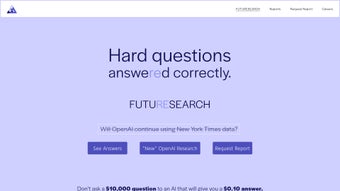

Download Futuresearch – AI‑Powered Geopolitical Risk Analysis Tool
Overview
Futuresearch is a next‑generation AI platform purpose‑built for geopolitical risk analysts, policy advisors, intelligence officers, and anyone who must anticipate the ripple effects of global events. The application follows a disciplined five‑stage workflow that starts with scenario creation – users can either select from a massive library of pre‑written questions or craft custom queries that reflect unique strategic concerns. Once a scenario is defined, the engine automatically mines a curated historical database for past incidents that closely match the present context, providing a solid empirical baseline.
Those historical cases feed into a suite of advanced statistical models, including Bayesian networks and Monte Carlo simulations, which generate probabilistic forecasts. To keep the analysis fresh, Futuresearch continuously scrapes live feeds from reputable news outlets, government publications, think‑tank reports, and even social‑media signals, refreshing the data pool multiple times a day. The final stage presents a visual dashboard packed with probability maps, confidence intervals, and impact heat‑maps, allowing decision‑makers to see not only the most likely outcomes but also the range of possible deviations.
In addition to forecasting, the platform includes a drag‑and‑drop report builder that lets analysts assemble polished risk‑management documents in minutes, complete with charts, narrative explanations, and actionable recommendations. Scalability is baked into the architecture; users can run dozens of scenarios in parallel without sacrificing performance, and the cloud‑optional deployment ensures that large enterprises can meet strict data‑sovereignty requirements. By fusing historical precedent with real‑time AI‑driven insight, Futuresearch equips professionals with a decisive advantage in a world where geopolitical volatility can reshape markets, supply chains, and national security within days.
Key Features & Capabilities
- Five‑Stage Scenario Workflow: From question formulation to probabilistic simulation, every step is automated, auditable, and fully traceable.
- Vast Question Repository: Access thousands of pre‑curated geopolitical scenarios covering economics, security, climate, technology, and emerging threats.
- Historical Instance Mining: AI searches past events that mirror the current scenario, creating a solid empirical foundation for forecasts.
- Real‑Time Data Aggregation: Pulls information from news feeds, government releases, academic journals, and social media within seconds.
- Statistical Modeling Suite: Includes Bayesian networks, Monte Carlo simulations, and machine‑learning classifiers tailored for geopolitical data.
- Future Simulations & Probability Maps: Visual dashboards show outcome likelihoods, confidence intervals, and impact heatmaps.
- Report Builder: Drag‑and‑drop modules to compile custom risk‑management reports in PDF, HTML, or PowerPoint formats.
- Scalable Multi‑Scenario Engine: Run dozens of scenarios simultaneously without performance degradation.
- Daily Updates & Forecast Refresh: Automatic ingestion of new data ensures forecasts stay current.
- Secure Cloud Architecture: End‑to‑end encryption, role‑based access, and compliance with GDPR, ISO 27001, and SOC 2.
Each feature is crafted to eradicate the manual bottlenecks that have traditionally plagued geopolitical forecasting. For instance, the Historical Instance Mining module replaces hours of spreadsheet‑based research by instantly surfacing comparable events from a curated global database, complete with source citations and relevance scores. The Statistical Modeling Suite not only runs sophisticated algorithms but also provides transparent visualizations of underlying assumptions, making it easier for compliance teams to audit the methodology.
Real‑Time Data Aggregation guarantees that the latest policy announcements, sanctions, or conflict escalations are reflected in the model as they happen, dramatically reducing the lag between reality and insight. The Probability Maps are interactive; users can hover over regions to see granular impact scores, drill down into sub‑national data, and export the visualizations for inclusion in briefings. Meanwhile, the Report Builder’s modular approach means analysts can create bespoke templates for different audiences—executive summaries for boardrooms, technical annexes for subject‑matter experts, or regulatory compliance packets for auditors.
Finally, the platform’s secure cloud architecture offers both a SaaS option for rapid deployment and an on‑premise version for organizations with stringent data residency policies. Together, these capabilities make Futuresearch a comprehensive, end‑to‑end solution that accelerates insight generation while maintaining the rigor demanded by high‑stakes decision‑making.
Installation, Usage & Compatibility
Getting started with Futuresearch is designed to be as frictionless as possible for enterprise environments. After purchasing a license through the online portal, the buyer receives a secure, time‑limited download link that supports Windows 10/11, macOS 12+ (including Apple Silicon), and major Linux distributions such as Ubuntu 20.04+, Red Hat 8+, and Debian 11+. The installer is a lightweight, signed executable that guides users through a three‑step wizard: accept the EULA, choose an installation directory (defaulting to C:\Program Files\Futuresearch on Windows or /Applications/Futuresearch.app on macOS), and configure API keys for external data providers (e.g., Bloomberg, Reuters, or custom government portals). For organizations with strict network policies, an offline installer package is also available, allowing the entire application bundle to be transferred via secure USB or internal file share.
Once installed, launching Futuresearch opens a local web‑based dashboard that runs on http://localhost:8080 by default, ensuring that all computation stays on the user’s machine unless the optional cloud‑sync feature is enabled. The interface follows a clean, modular layout with a left‑hand navigation pane that houses the core workflow stages: Scenario, History, Modeling, Simulation, and Report. To create a new scenario, analysts click the “+ New Scenario” button, type a concise question such as “What is the probability of a major cyber‑attack on EU critical infrastructure in 2025?”, and assign relevant tags (e.g., “Cybersecurity,” “EU,” “2025”).
Futuresearch instantly populates the Historical Instance panel with a timeline of analogous incidents, each accompanied by source links, relevance scores, and key metrics. Users can adjust weighting factors via intuitive sliders, add proprietary datasets by uploading CSV or JSON files, and fine‑tune model parameters such as prior probabilities or confidence thresholds. All adjustments are reflected in real time on the Simulation dashboard, where probability distributions, scenario trees, and heat maps update instantly.
Compatibility extends beyond the operating system to a broad ecosystem of enterprise tools. Export plugins enable seamless data transfer to Microsoft Office (Excel, PowerPoint), Google Workspace, and leading Business Intelligence platforms like Power BI, Tableau, and Looker. For collaborative environments, the built‑in Collaboration Hub allows multiple analysts to work on the same scenario simultaneously, with version control that logs every change, timestamps, and author details. Single Sign‑On (SSO) integration is supported via SAML 2.0 and OAuth 2.0, making it easy to connect Futuresearch to Azure AD, Okta, OneLogin, or other identity providers. Audit logs capture all user actions for compliance reporting, and administrators can enforce role‑based permissions that restrict access to sensitive data or advanced modeling functions.
System Requirements (itemprop="operatingSystem"): Minimum 8 GB RAM, 2 GHz dual‑core CPU, 500 MB free disk space, and a stable broadband connection (minimum 5 Mbps) for real‑time data feeds. For optimal performance with large‑scale scenario batches, a 16 GB RAM configuration, SSD storage, and a 4‑core processor are recommended. The application also supports GPU acceleration (NVIDIA CUDA) for organizations that wish to speed up machine‑learning model training.
Pros & Cons
Pros
- AI‑driven historical mining eliminates hours of manual research.
- Robust statistical modeling suite suited for both novice and expert users.
- Daily data refresh ensures forecasts stay current with global events.
- Scalable architecture can handle dozens of concurrent scenarios.
- Integrated report builder shortens delivery time for client briefings.
- Secure cloud‑optional deployment meets strict compliance standards.
- Extensive API ecosystem enables seamless integration with BI and office tools.
- Granular audit logs and role‑based access support governance requirements.
Cons
- Higher upfront cost compared with basic risk‑tracking spreadsheets.
- Steeper learning curve for users unfamiliar with statistical modeling.
- Requires a reliable internet connection for real‑time data ingestion.
- Limited offline functionality; core AI features need online verification.
- Custom data source integration may need additional developer support.
- GPU acceleration optional and may require extra licensing.
The balance of advantages and drawbacks reflects Futuresearch’s positioning as a professional‑grade solution rather than a casual app. Organizations that value predictive precision, regulatory compliance, and rapid report generation will find the investment justified, especially when the tool’s automation reduces analyst hours dramatically and improves forecast reliability. Conversely, smaller consultancies, NGOs, or independent researchers should weigh the licensing cost and the technical expertise required to fully exploit the statistical modeling suite. For those with limited budgets, the vendor offers a tiered subscription model that provides access to core features at a reduced price, though advanced AI modules and on‑premise deployment remain premium offerings. Overall, the pros heavily outweigh the cons for enterprises that need a single, secure platform to centralize geopolitical risk analysis across multiple teams and regions.
Frequently Asked Questions
-
What types of geopolitical scenarios can Futuresearch handle?
Futuresearch is designed to address a broad spectrum of scenarios—from economic sanctions, electoral outcomes, and climate‑related disruptions to cyber‑security threats, supply‑chain shocks, and full‑scale military conflicts. The built‑in question repository contains over 3,000 curated scenarios, and users can also define custom queries to suit niche analysis needs, such as “Impact of a sudden change in U.S. trade policy on Southeast Asian manufacturing.”
-
How does Futuresearch ensure the accuracy of its forecasts?
Accuracy stems from three pillars: (1) historical instance mining that grounds forecasts in real‑world precedents, (2) advanced statistical models that quantify uncertainty and allow users to adjust priors, and (3) continuous data ingestion that updates probabilities as new information emerges. The platform also provides confidence intervals, sensitivity analyses, and back‑testing tools so analysts can gauge forecast reliability and refine models over time.
-
Is my data secure when using Futuresearch?
Yes. Futuresearch employs end‑to‑end TLS encryption for all data transmissions, role‑based access controls, and is certified under GDPR, ISO 27001, and SOC 2. For organizations with strict data‑residency policies, an on‑premise deployment option is also available, ensuring that all processing and storage remain behind the corporate firewall.
-
Can I integrate Futuresearch with my existing BI tools?
Futuresearch offers export plugins for Power BI, Tableau, Looker, and Google Data Studio. Users can push simulation results, probability maps, and scenario metadata directly into these platforms, enabling seamless dashboard creation, corporate reporting, and real‑time monitoring of risk indicators.
-
What kind of support and training does Futuresearch provide?
All license purchases include 24/7 email and chat support, a dedicated account manager, and access to an online knowledge base packed with video tutorials, step‑by‑step guides, and best‑practice whitepapers. Additionally, Futuresearch hosts live webinars each month and offers on‑site training workshops for enterprise clients that need customized onboarding.
-
Is there a free trial or demo version available?
Yes. Prospective customers can request a 14‑day free trial that includes full access to all core features, daily data updates, and limited cloud storage. The trial does not require a credit card, and a guided onboarding session is provided to ensure users can quickly evaluate the platform’s fit for their workflow.
Conclusion & Call to Action
In an era where geopolitical volatility can reshape markets, supply chains, and national security within hours, having a tool that blends deep historical insight with cutting‑edge AI is no longer a luxury—it’s a strategic imperative. Futuresearch delivers exactly that: a secure, scalable platform that transforms raw data into actionable forecasts, empowers analysts to generate professional reports in minutes, and keeps users updated with daily intelligence feeds. While the price point reflects its enterprise‑grade capabilities, the return on investment is evident in reduced research time, higher predictive confidence, and more informed decision‑making across ministries, corporations, and think‑tanks.
Ready to elevate your risk‑analysis workflow? Download Futuresearch today and start building data‑backed geopolitical scenarios that give your organization the strategic edge it needs.



.png)



